SimpleDCP · early access

Captions and assistive audio on your patrons' own phone.

A turnkey cinema accessibility appliance. It takes captions from the cinema server's own standards-based accessibility path — SMPTE ST 430-10, ST 430-11, ST 428-7 / ST 428-10 — and delivers them, with HI and VI-N audio, to the patron's phone. No app install. No internet connection.

Two more questions below decide the slot: your role and the cinema server family you can test against.

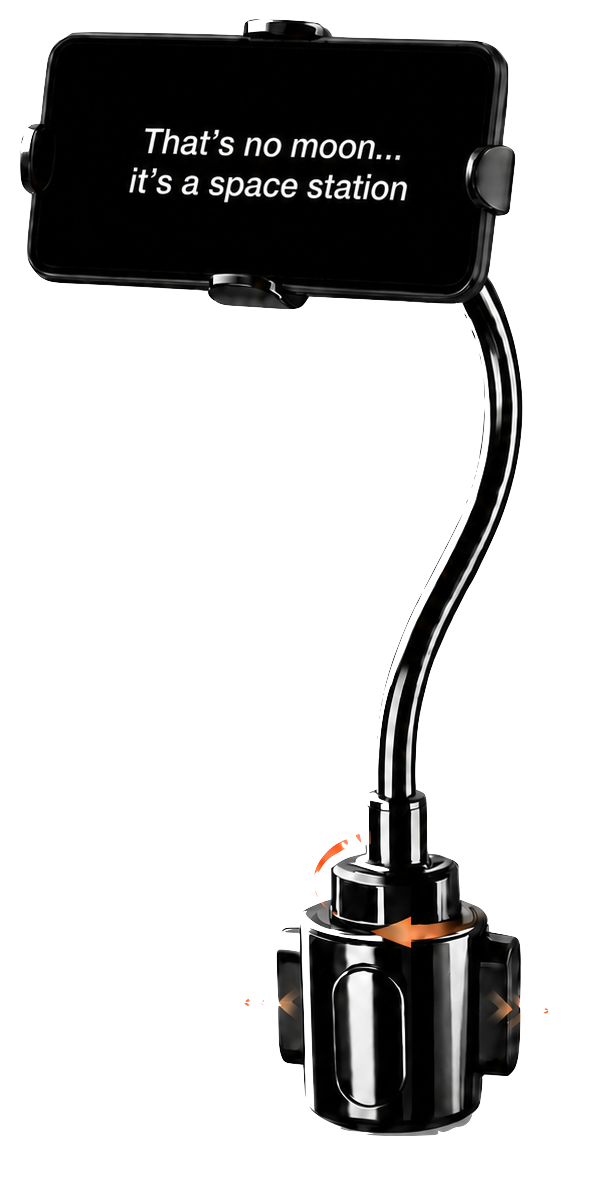
A patron's phone in a cup-holder mount at a cinema seat, showing a line of captions on a dark screen.
Patron device No app install
Network No internet connection
Caption source SMPTE ST 430-10
Audio path HI and VI-N to the phone
01 · The problem

Nobody finds out until a patron does.

Captioning and audio-description hardware in most venues is expensive, aging, and quietly broken. A receiver with a dead cell, a transmitter nobody has power-cycled since the install, a caption track the server never announced — the fault is invisible in the booth and total in the seat.

Expensive Dedicated receivers, transmitters and spares, priced per screen and per seat.
Aging Installed a decade ago, serviced rarely, and increasingly hard to get parts for.
Quietly broken No alarm, no log, no warning to staff. The show plays; the accessibility does not.
02 · How it works

Three connections you already have.

CINEMA SERVER APPLIANCE ST 430-10 Step one

It joins the session

The appliance joins the cinema server's ST 430-10 session and reads the caption track the show already carries — the same standards path professional accessibility systems are designed to consume.

PROCESSOR HI VI-N AUDIO IR / RF Step two

It taps the outs you have

HI and VI-N audio comes off the assistive-listening outputs your processor already has — the same feeds that drive the venue's IR/RF transmitter. Nothing is rewired, and the transmitter keeps running.

QR PER SCREEN LOCAL PATRON PHONE Step three

The patron picks

Each house has its own QR code. Scanning it opens a local page for that screen: captions, HI, VI-N, or captions plus audio. Large type, dark theme, adjustable text size — built for a dark auditorium.

Two planes, one appliance Sheet 01 — one box, two networks
THEATER SIDE PATRON SIDE CAPTIONS HI VI-N TEXT SIZE ± CINEMA SERVER CINEMA PROCESSOR PATRON AP PATRON PHONE ST 430-10 · ST 430-11 ST 428-7 / ST 428-10 HI / VI-N analog outs Existing IR / RF transmitter, untouched Dedicated SSID for patron devices CAPTION DATA ANALOG AUDIO IN AUDIO TO THE PHONE OPENACCESSBRIDGE fanless dual-NIC mini-PC NIC A NIC B SEPARATE NETWORKS theater network patron network THEATER SIDE PATRON SIDE CAPTIONS HI VI-N CINEMA SERVER CINEMA PROCESSOR PATRON AP ST 430-10 · ST 430-11 ST 428-7 / ST 428-10 HI / VI-N analog outs Existing IR / RF transmitter, untouched Dedicated SSID for patron devices PATRON PHONE AUDIO TO THE PHONE OPENACCESSBRIDGE fanless dual-NIC mini-PC NIC A — theater network NIC B — patron network SEPARATE NETWORKS
Captions from the server Audio from the processor
Captions and audio come in from the booth on one network card; patron phones sit on the appliance's own Wi-Fi on the other. Nothing crosses between them.
03 · Who it's for

Who it's for

Booth techs and integrators

A caption fault and four suspects. The appliance shows what the server is actually announcing and what the processor is actually putting out, on the screen in your hand.

Festivals and pop-up venues

Temporary accessibility for a temporary room. One appliance, its own access point, no venue IT to negotiate with and nothing to hand out at the door.

Exhibitors evaluating a lower-cost path

A standards-based route to captions and assistive audio that runs on hardware you can specify yourself, screen by screen.

04 · Built like an appliance

One box, and the room is covered.

It arrives configured. Power, a network cable, one audio pair — then it joins the server, brings up its own patron Wi-Fi, and serves the room the same way every show.
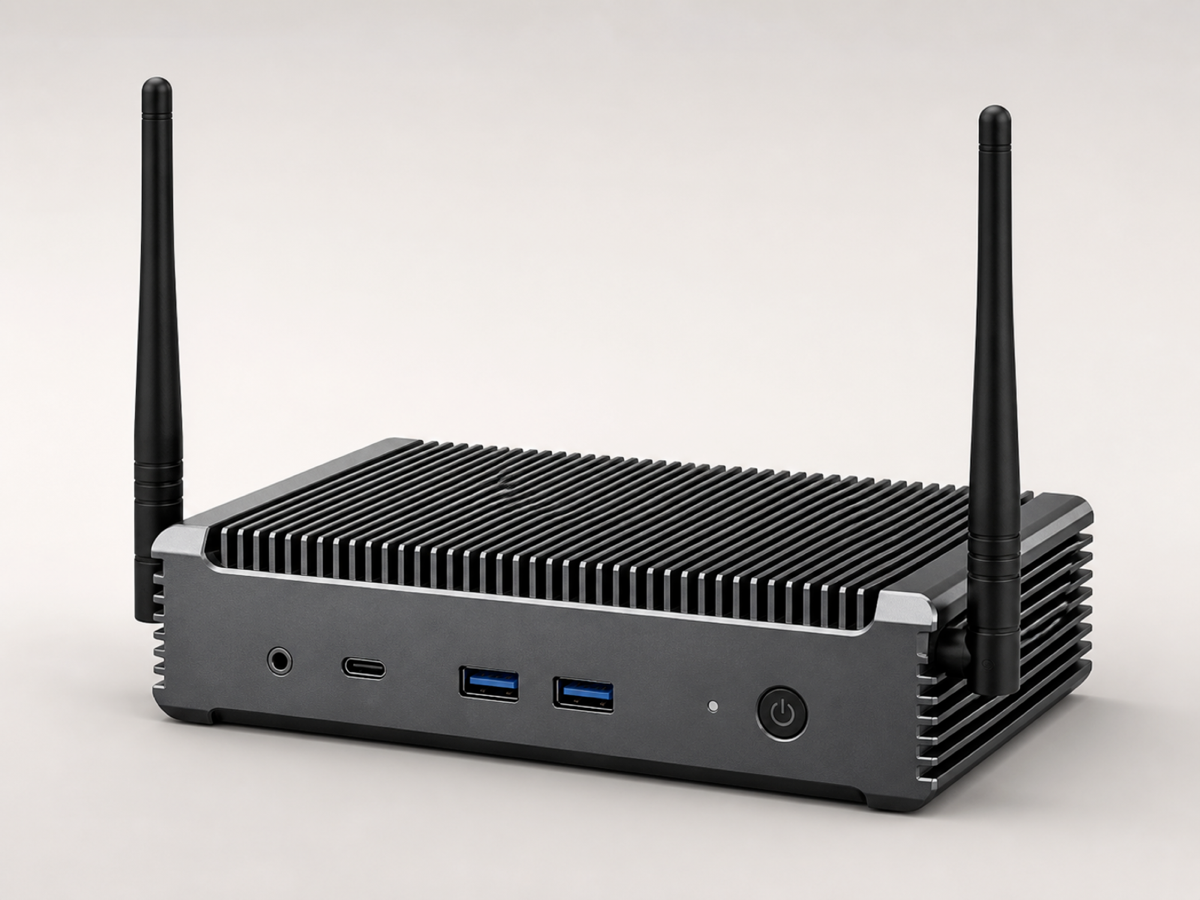
The OpenAccessBridge appliance: a fanless mini-PC with two aerials, front-panel USB, USB-C and audio ports.
Sample hardware — a fanless mini-PC, no moving parts, with its own patron Wi-Fi.
No.What it doesWhat that means in the room
What the box does — 01 to 04
01 Separate networks Patron phones join the appliance's own Wi-Fi. They never reach the theater network, and nothing passes between the two.
02 Locked down, nothing kept Nothing is open unless it has to be, each part of the software runs with only the access it needs, and no caption text or audio is ever written to disk — checked when the box is installed and again while it runs.
03 It tells you when it fails Any fault raises a warning for staff and an honest message on the patron's screen at the same time. Nobody is left guessing.
04 One quiet box A fanless mini-PC with no moving parts and its own patron Wi-Fi. No venue network to negotiate for, nothing to hand out at the door.
05 · Early access

Join the waitlist.

Tell us what you run. We read every one of these, and the answers decide which hardware we set up next.

Required: email. Everything else helps us match you to a slot. One appliance per early-access site, on loan. No newsletter. No third parties.
Cinema server family — select every one you can test against

Early-access slots are matched to server families we can actually test against — telling us yours is what moves you up the list.